
> Todowing
Nested sub-tasks, a focus timer, and themes for Todoist
[ screenshots ]
[ about ]
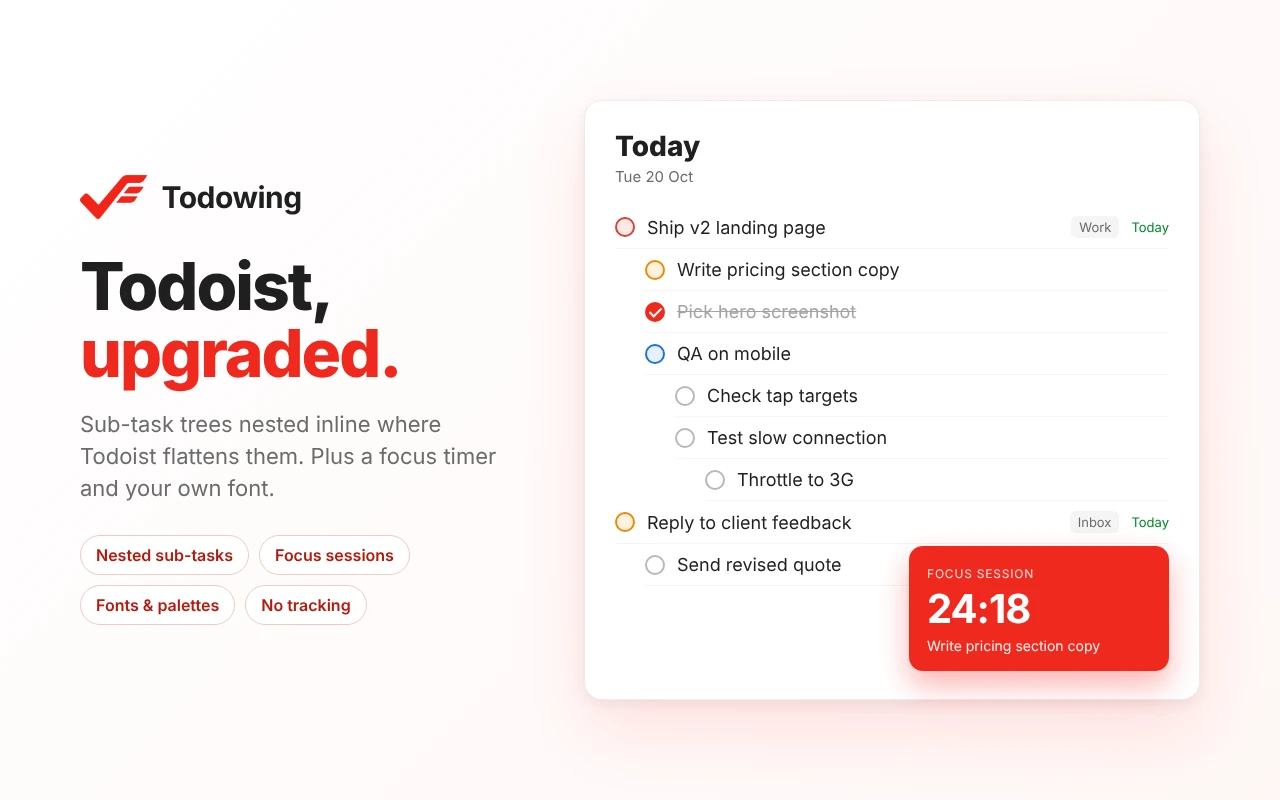
Todowing is a Chrome extension that shows sub-tasks where you need them in the Todoist web app. Todoist flattens sub-tasks in date and filter views. Todowing nests them under their parent in Today, Upcoming, Boards, Filters, and Labels, up to four levels deep. Each sub-task row shows its own due date, priority, and labels, and you can check off or reopen sub-tasks without leaving the list.
It also lets you restyle Todoist with seven color palettes and a text size slider (85% to 200%).
Paid features
- Add, rename, and drag-reorder sub-tasks in place
- Hide finished sub-tasks, except parents that still have open work
- File a task under a parent in another project without moving it
- Focus sessions: a countdown card beside the list that holds your picked tasks and runs across tabs
- Time estimates per task, totaled in the Todoist header and the focus strip
- A three-line notes pad above Today, with light markdown and autosave
- Fifty Google Fonts
- Up to five published Apple Calendar feeds in Today, read-only
Pricing
Free: the nested sub-task view with full row detail, the seven palettes, and the text size slider. No account needed. The free tier shows up to 5 sub-task rows per top-level task.
Lifetime unlock: $19.99 once, no subscription. It removes the row limit and adds the paid features above, plus future upgrades. Refunds are available for 14 days.
Privacy
Your Todoist API token stays in your browser and goes only to the official Todoist API. Your tasks do not pass through Todowing's servers, and the extension has no analytics or tracking.
Who it's for
Todoist users who rely on sub-tasks and want them visible in Today, Upcoming, and filter views, or want more control over how Todoist looks. It works with any Todoist plan in the web app, and it does not run in the Todoist desktop app. Todowing is unofficial and has no affiliation with Doist.